- Introduction
- The Security Model in Business Central Online
- Entitlements – License-Based Access
- 🔐 How Access Is Evaluated
- Permission Sets – Detailed Object Permissions
- Security Groups – Managing Access at Scale
- How Access Is Calculated (Step-by-Step)
- Common Misunderstandings
- Recommended Architecture
- Developer Perspective
- Troubleshooting Scenarios
- Conclusion
Introduction
Security in Dynamics 365 Business Central is layered and license-aware.
Access to functionality isn’t controlled by a single setting. Instead, it’s determined by the interaction between:
- Entitlements (license-based access)
- Permission Sets (object-level permissions)
- Security Groups (assignment mechanism)
Understanding how these elements work together is essential for designing compliant, scalable, and audit-ready environments in Business Central online (SaaS).
In this article, we’ll explain:
- What entitlements control
- How permission sets define access
- How security groups simplify administration
- How effective permissions are calculated
The Security Model in Business Central Online
Business Central online defines access using two primary concepts:
- Entitlements – Broad access to objects based on license or Microsoft Entra role
- Permissions (via permission sets) – Detailed access assigned by administrators
Security groups are used to assign permission sets efficiently to multiple users.
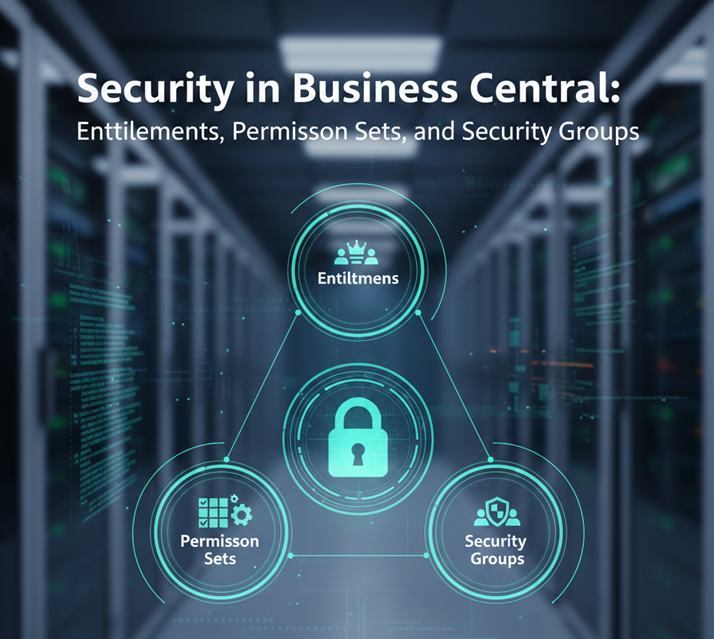
From a practical perspective, security operates in three layers:
| Layer | What It Controls | Managed By |
|---|---|---|
| Entitlements | Maximum access allowed by license | Microsoft (license definition) |
| Permission Sets | Detailed object-level access | Admin / Partner |
| Security Groups | Assignment of permission sets to users | Microsoft Entra ID / Admin |
Entitlements – License-Based Access
Entitlements describe which objects a user is allowed to access based on:
- The Business Central license purchased
- The Microsoft Entra role assigned
Entitlements are enforced in Business Central online and define the maximum permissions a user can have.
Example:
- A Team Member license provides limited access to objects.
- Essential and Premium licenses allow broader access.
Even if a user is assigned broad permissions, their access remains limited by the entitlement associated with their license.
🔐 How Access Is Evaluated
Business Central calculates access using the following principle:
Effective Access = Entitlements ∩ Assigned Permission SetsThis means:
- Entitlements cannot be overridden
- Assigning a permission set does not expand access beyond what the license allows
- If a license doesn’t include access to an object, no permission set can grant it
This makes entitlements the top-level security boundary in Business Central online.
Permission Sets – Detailed Object Permissions
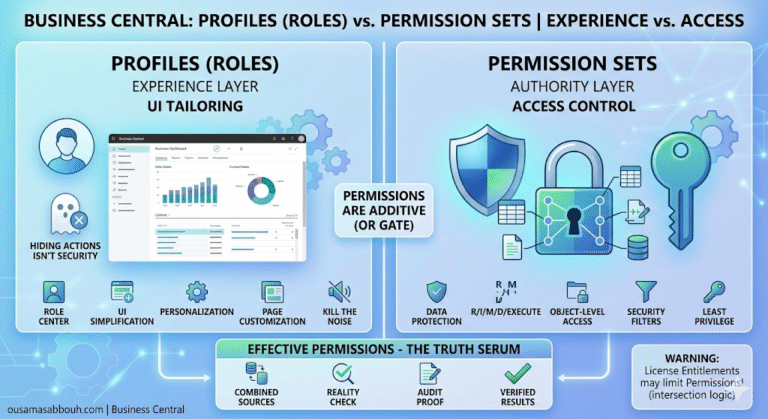
Permission sets define what a user can do within the boundaries allowed by their entitlement.
Permission sets:
- Combine object permissions into logical groups
- Can be assigned directly to users or through security groups
- Can be created, copied, and extended
Permissions can be granted on:
- Tables (Read, Insert, Modify, Delete)
- Reports
- Codeunits
- Pages
- Queries
- Other application objects
There are two main types of permission sets:
- System permission sets (delivered by Microsoft or installed apps)
- User-defined permission sets (created or copied by administrators)
Permission sets define detailed access, but they never extend beyond the entitlement defined by the user’s license.
Security Groups – Managing Access at Scale
Security groups simplify permission management.
In Business Central online, security groups are linked to Microsoft Entra ID groups. Administrators:
- Create or select a security group
- Assign permission sets to the group
- Add users to the group in Entra ID
All members of the group receive the assigned permission sets.
Security groups:
- Reduce manual, user-by-user configuration
- Improve consistency across environments
- Support centralized access management
Security groups do not define permissions themselves.
They assign permission sets to multiple users efficiently.
How Access Is Calculated (Step-by-Step)
In Business Central online, effective access is determined as follows:
- A user is assigned a license
- The license defines entitlements
- Permission sets are assigned (directly or via security group)
- The system calculates effective permissions
Conceptually:
Effective Access = Entitlements ∩ Assigned Permission SetsBoth layers must allow access for a user to successfully perform an action.
If either layer restricts access, the user cannot perform the operation.
Common Misunderstandings
❌ “Security groups replace permission sets.”
Security groups assign permission sets. They don’t replace them.
❌ “I can grant access with a custom permission set even if the license doesn’t allow it.”
Access cannot exceed entitlement limits. License restrictions are enforced.
❌ “A Team Member can be turned into a full user by assigning more permissions.”
A Team Member’s access remains limited by its entitlement. Assigning broader permission sets doesn’t change the license-based boundary.
Recommended Architecture
For scalable and maintainable security:
- ✅ Use security groups to assign permission sets
- ✅ Avoid assigning permission sets individually when possible
- ✅ Keep custom permission sets modular and role-based
- ✅ Avoid modifying system permission sets directly — copy and extend instead
- ✅ Consider license entitlements during security design
This approach supports:
- Governance
- Auditability
- Long-term maintainability
Developer Perspective
From an AL development standpoint:
- Entitlements are defined as
Entitlementobjects - Permission sets are AL objects (
PermissionSet,PermissionSetExtension) - Permission sets can be included in extensions
- Entitlements define the maximum permissions available to users of a specific license or Entra role
Example of a permission set in AL:
permissionset 50100 MyCustomFinance
{
    Assignable = true;
    Permissions =
        tabledata "Gen. Journal Line" = RIMD,
        page "General Journal" = X,
        report "Trial Balance" = X;
}
This permission set grants object-level permissions but remains subject to entitlement limits.
Troubleshooting Scenarios
Many real-world security issues trace back to one of the three layers:
| Symptom | Likely Cause |
|---|---|
| User has a permission set but receives an access error | Check license entitlement |
| Permission removed but user still has access | Check security group membership |
| Sandbox works, Production doesn’t | Verify license assignments |
The Effective Permissions page in Business Central helps analyze how permissions are calculated for a user.
Conclusion
Security in Business Central online is layered by design.
- Entitlements define the maximum access allowed by license
- Permission sets define detailed object-level access
- Security groups simplify how permissions are assigned
Effective access is always calculated as the intersection between what the license allows and what permissions are assigned.
Understanding these layers is essential for designing secure, compliant, and scalable Business Central environments.