
When to Use Each, What Goes Wrong, and What the Correct Pattern Looks Like
Introduction
In Business Central development, deciding where to place logic is just as important as the logic itself.
A common question is whether validation or business logic should be implemented in a table trigger or a page trigger. Both options work technically, and both can stop users from doing something wrong — at least in some situations. But choosing the wrong trigger often leads to inconsistent behavior, logic that can be bypassed, and problems that only appear once integrations or background processes are introduced.
This article explains the real difference between table triggers and page triggers, shows what commonly goes wrong, and — just as importantly — demonstrates the correct pattern using practical AL examples.
The focus is not syntax, but design responsibility.
- Introduction
- What table triggers are responsible for
- What page triggers are responsible for
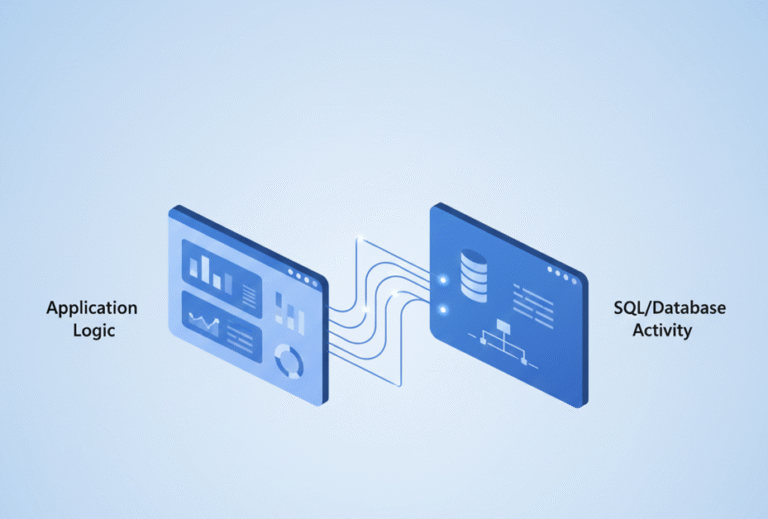
- Table triggers vs page triggers (conceptual comparison)
- Common mistake #1: business rules in page triggers
- Common mistake #2: heavy logic in OnAfterGetRecord
- Common mistake #3: duplicating logic across pages
- Performance considerations
- Testing and extensibility impact
- Practical rules of thumb
- Final thoughts
What table triggers are responsible for
Table triggers represent data-level rules.
They execute whenever data is written to a table, regardless of how that happens:
- Pages
- APIs
- Background jobs
- Posting routines
- Codeunits and reports
Because of this, table triggers are the only safe place for logic that must always apply.
Common table triggers include:
OnInsertOnModifyOnDeleteOnRename- Field (OnValidate)
Key principle:
If a rule protects data integrity, it belongs in the table.
Correct example: enforcing a business rule in a table trigger
Scenario:
A sales document must not be released unless a customer is assigned.
tableextension 50100 SalesHeaderExt extends "Sales Header"
{
    trigger OnModify()
    begin
        if (xRec.Status <> Status) and (Status = Status::Released) then
            if "Sell-to Customer No." = '' then
                Error('A customer must be specified before releasing the document.');
    end;
}
Why this is correct
- Applies to pages, APIs, and background processes
- Cannot be bypassed
- Protects the data model, not the UI
What page triggers are responsible for
Page triggers represent user interaction.
They execute only when a user works through a specific page. If data is modified through another page, an API, or a background process, page triggers do not run.
Common page triggers include:
OnOpenPageOnAfterGetRecord- Page field
OnValidate - Action
OnAction
Key principle:
Page triggers guide users — they do not enforce system rules.
Correct example: guiding the user on a Sales Line page
Scenario:
Warn the user when entering an unusually large quantity on a sales line.
pageextension 50101 SalesLineExt extends "Sales Order Subform"
{
    layout
    {
        modify(Quantity)
        {
            trigger OnValidate()
            begin
                if Quantity > 1000 then
                    Message('Please double-check this quantity before continuing.');
            end;
        }
    }
}
Why this is correct
- The message helps the user but does not block the system
- APIs and background processes are unaffected
Table triggers vs page triggers (conceptual comparison)
| Aspect | Table Trigger | Page Trigger |
|---|---|---|
| Applies to all entry points | Yes | No |
| Applies to APIs & background jobs | Yes | No |
| Enforces business rules | Yes | No |
| UI guidance | Limited | Strong |
| Can be bypassed | No | Yes |
This distinction is the foundation of correct AL design.
Common mistake #1: business rules in page triggers
❌ Wrong approach
// Page action trigger
trigger OnAction()
begin
    if Rec.Status <> Rec.Status::Released then
        Error('Document must be released before posting.');
end;
What goes wrong
- Works only through that page
- Is bypassed by APIs and background posting
- Creates inconsistent behavior
✅ Correct approach
Move the rule to the table, where it applies universally:
tableextension 50102 SalesHeaderPostingRule extends "Sales Header"
{
    trigger OnModify()
    begin
        if (xRec.Status <> Status) and (Status = Status::Released) then
            if "Posting Date" = 0D then
                Error('Posting Date must be set before releasing the document.');
    end;
}
Page logic can still guide the user — but enforcement belongs in the table.
Common mistake #2: heavy logic in OnAfterGetRecord
❌ Wrong approach
trigger OnAfterGetRecord()
begin
    Rec.CalcFields("Amount Including VAT");
end;
What goes wrong
- Runs for every record
- Slows down scrolling and filtering
- Creates performance issues that are hard to trace
✅ Correct approach
- Calculate values only when needed
- Prefer FlowFields or explicit user actions
- Keep page triggers lightweight and predictable
Common mistake #3: duplicating logic across pages
❌ Wrong approach
- Same validation copied into multiple page extensions
- Logic diverges over time
- Maintenance becomes difficult
✅ Correct approach
- Place shared rules in table triggers
- Use page triggers only for UI behavior
- Centralize logic so it behaves consistently everywhere
Performance considerations
- Table triggers run on every write — they must be efficient
- Page triggers affect responsiveness — heavy logic degrades UX
- Incorrect placement creates invisible performance problems
Correct separation improves both system stability and user experience.
Testing and extensibility impact
- Table trigger logic is testable with automated tests
- Page trigger logic is harder to test reliably
- Extensions behave more predictably when rules are enforced at the table level
Good trigger design reduces breaking changes and integration issues.
Practical rules of thumb
- If it must always apply → Table trigger
- If APIs must respect it → Table trigger
- If it protects data integrity → Table trigger
- If it guides the user → Page trigger
- If it improves usability → Page trigger
- If you are unsure → start with a table trigger, then enhance the UI
Final thoughts
Choosing between table triggers and page triggers is not a matter of preference — it is a design decision with long-term consequences.
Well-designed Business Central solutions:
- Enforce rules at the data level
- Guide users at the UI level
- Behave consistently across all entry points
- Scale cleanly as integrations grow
Understanding this distinction early prevents many issues that only surface in production.