
Introduction
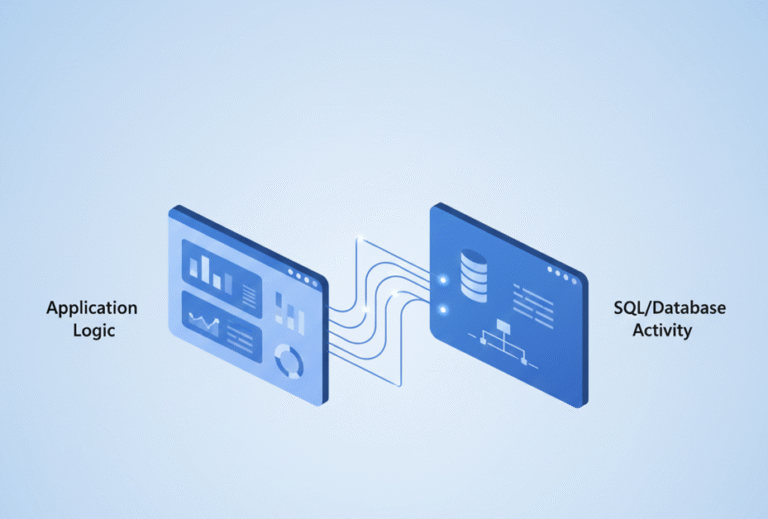
Performance issues in Dynamics 365 Business Central are often blamed on SQL, large datasets, or slow reports. But in many real-world cases, the root cause is simpler: too many unnecessary database operations.
Every Insert, Modify, or Delete hits SQL—and those costs add up quickly. This is where temporary tables in Business Central become a powerful tool. Used correctly, they can:
- Improve performance significantly by shifting work to memory.
- Reduce database locking, improving the experience for concurrent users.
- Simplify complex AL logic by providing a flexible staging area.
However, used incorrectly, they can introduce bugs, memory pressure, and hidden performance issues. In this guide, you’ll learn exactly when to use temporary tables, when to avoid them, and the advanced “gotchas” every senior developer should know.
What Are Temporary Tables in Business Central?
A temporary table is a record variable stored in memory on the Business Central Server (NST) instead of the SQL Server database.
Code snippet
var
    TempSalesLine: Record "Sales Line" temporary;
Key Characteristics
- Stored in Memory: Resides on the server-side (NST).
- No Direct SQL Writes: Operations do not trigger standard SQL database I/O.
- Non-Persistent: Data is cleared as soon as the variable goes out of scope.
- Identical Structure: Uses the same schema as the physical table it is based on.
💡 Important Nuance:
While temporary tables are memory-based, working with massive datasets can still impact performance. High memory consumption on the NST can lead to system pressure. Always be intentional about how much data you load.
Two Ways to Define Temporary Tables
1. The temporary Keyword (Variable Level)
This is the most common approach, used for ad-hoc processing within a specific procedure or object.
Code snippet
var
    TempCustomer: Record Customer temporary;
2. TableType = Temporary (Object Level)
You can define a table to be permanently temporary at the object level.
Code snippet
table 50100 MyBufferTable
{
    TableType = Temporary;

    fields { ... }
}
The Difference: If a table is defined with TableType = Temporary, it remains temporary regardless of how it is declared in code. This is ideal for buffer tables, integration staging, or internal system processing.
Why Use Temporary Tables?
1. Improve Performance (Avoid SQL I/O)
Database operations are expensive. Temporary tables allow you to process data faster in memory and avoid unnecessary SQL writes.
2. Reduce Database Locking
Working directly on physical tables can lock records, block other users, and slow down transactions. Temporary tables work independently and eliminate these locking risks.
3. Simplify Complex Logic
Instead of complex nested loops and repeated SQL queries, you can load your dataset once into a temporary buffer, reorder it, and process it in one pass.
When to Use Temporary Tables
| Scenario | Best Use Case |
| Intermediate Calculations | Aggregating or transforming data before a final post. |
| Data Buffering | Loading a dataset once to reuse it multiple times in a process. |
| What-If Scenarios | Simulations like pricing calculations or inventory forecasting. |
| Report Optimization | Preprocessing data into a flat buffer to avoid heavy joins at runtime. |
| UI Staging | Using SourceTableTemporary = true on Pages for wizards or previews. |
When NOT to Use Them
- Permanent Data: Never use them for ledger entries, audit logs, or anything that must survive a session restart.
- Real-Time Live Data: They are a snapshot. They will not reflect concurrent changes made by other users in real-time.
- Simple Filters: If a standard
SetRangeorSetFilteron a physical table solves the problem, don’t over-engineer with a temporary table.
How to Use Temporary Tables in AL
Declaring and Inserting
Code snippet
var
    TempCustomer: Record Customer temporary;
begin
    TempCustomer.Init();
    TempCustomer."No." := 'C0001';
    TempCustomer.Insert();
end;
Copying Data (The Controlled Approach)
When copying data from a physical table, always follow a “clear-and-load” pattern:
Code snippet
if SalesLine.FindSet() then begin
    TempSalesLine.Reset();
    TempSalesLine.DeleteAll(); // Safety: Clear buffer before reuse

    repeat
        TempSalesLine := SalesLine;

        // Transform or filter data here
        if TempSalesLine.Type <> TempSalesLine.Type::" " then
            TempSalesLine.Insert();
    until SalesLine.Next() = 0;
end;
Advanced Insight: The Insert(true) Trap
This is a common “senior” mistake.
Code snippet
TempCustomer.Insert(true);
What happens? Even though the variable is temporary, calling Insert(true) triggers the OnInsert trigger of the base table object. If the base table has complex logic, lookups, or hits other SQL tables in its OnInsert trigger, your “in-memory” operation is still causing SQL overhead.
Best Practice: Use Insert() without the true parameter unless you specifically need the base table’s numbering or validation logic.
Advanced Performance Tips
1. Use Partial Records (SetLoadFields)
To keep your memory footprint small, only load the fields you actually need into the temporary table.
Code snippet
Customer.SetLoadFields("No.", Name, "Balance (LCY)");
if Customer.FindSet() then
    // Load into TempTable...
2. Combine with AL Queries
For massive datasets, use an AL Query object to join data at the SQL level first, then pipe the result into a temporary table for final AL processing.
Best Practices Checklist
- [ ] Filter data before loading it into memory.
- [ ] Use
SetLoadFieldsto reduce the memory footprint. - [ ] Avoid
Insert(true)unless trigger logic is strictly required. - [ ] Clear the buffer using
DeleteAll()before reuse. - [ ] Use
TableType = Temporaryfor dedicated integration buffers.
Conclusion
Temporary tables are a cornerstone of high-performance AL development. By shifting the workload from the database to the NST memory, you can build faster, more scalable solutions. However, the real expertise lies in knowing when to keep it in SQL and when to bring it into memory.