
- Introduction
- What “Summarize with Copilot” actually does
- Why summaries matter in Business Central
- How “Summarize with Copilot” is enabled
- Where Copilot summaries typically appear
- Language and regional considerations
- What Copilot summaries are not
- Good vs. bad usage scenarios
- What this means for developers
- A practical mindset for using summaries
- Final thoughts
Introduction
With Business Central 2025 Release Wave 1, Microsoft introduced a new Copilot capability called “Summarize with Copilot.” At first glance, it appears to be a small convenience feature—a button that generates a short summary of a record. In reality, its value is often misunderstood.
This feature is not about automation, decision-making, or replacing analysis.
It is about context.
Business Central pages are information-dense by design. Users often need to interpret data spread across FastTabs, FactBoxes, statistics, and related records before they can act. “Summarize with Copilot” helps reduce that cognitive load by providing a concise narrative overview before users dive deeper.
What “Summarize with Copilot” actually does
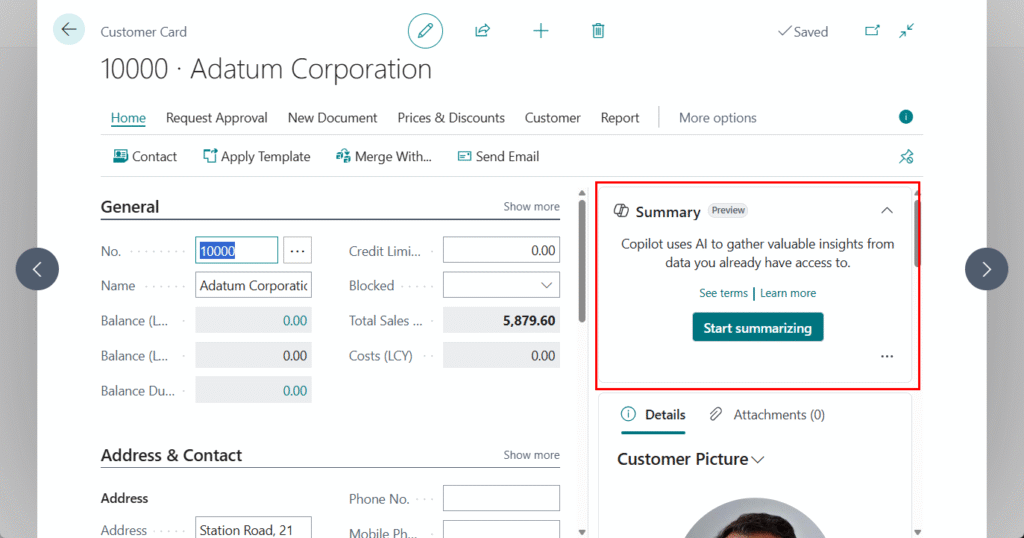
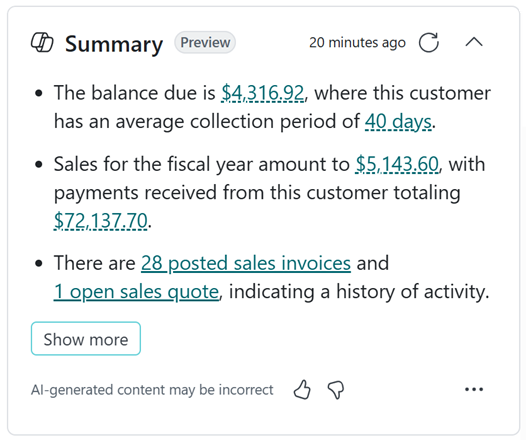
“Summarize with Copilot” generates a read-only, natural-language summary of the current record and its surrounding context. The summary appears in the Copilot pane and is based on data that already exists in Business Central.
Key characteristics:
- Read-only – no data is created or modified
- Contextual – based on the current page and related records
- Non-transactional – no actions are triggered
- Assistive – designed to support understanding, not execution
Why summaries matter in Business Central
Business Central prioritizes accuracy and completeness, not storytelling. As a result, understanding a record often requires scanning multiple parts of the page and mentally connecting information.
Copilot summaries help users quickly answer questions such as:
- What is this record about?
- Is there anything unusual here?
- Where should I focus my attention first?
This is best described as context compression — turning many individual data points into a short narrative that helps users orient themselves faster.
For experienced users, this can save time.
For new or infrequent users, it significantly reduces friction.
How “Summarize with Copilot” is enabled
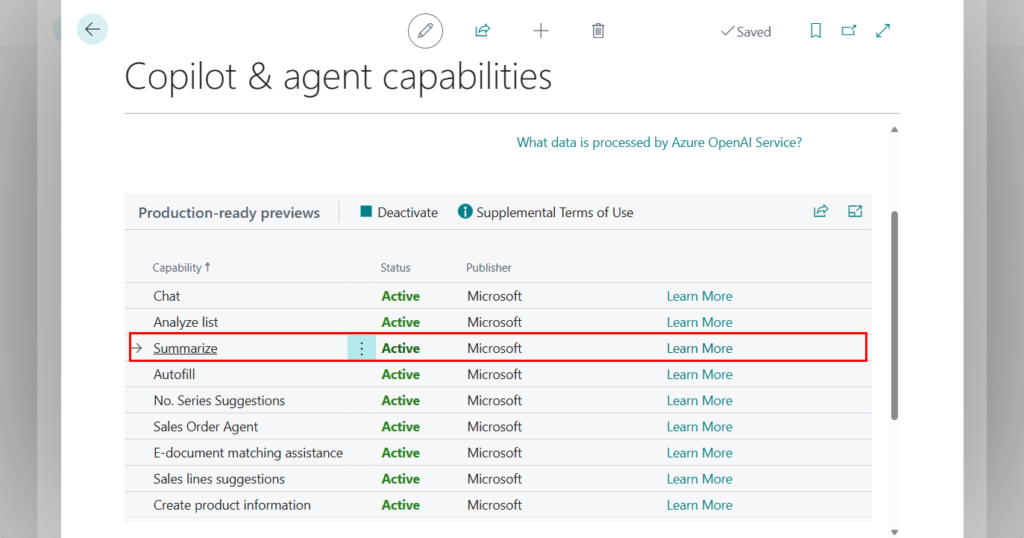
“Summarize with Copilot” is available when Copilot features are enabled for the tenant and supported for the environment.
In practice, availability depends on:
- Copilot being enabled at the tenant level
- Environment type (Production vs. Sandbox)
- Regional availability
- User role and page context
There is no separate credit-based consumption model for this feature. It is part of the built-in Copilot capabilities and follows the same availability rules as other Copilot features in Business Central.
Where Copilot summaries typically appear
Copilot summaries are contextual, meaning they appear where Business Central can reasonably generate meaningful insight from structured data.
They are most commonly available on:
- Document pages (for example, sales or purchase documents)
- Master data pages (such as Customer or Vendor)
- Pages with sufficient related data, statistics, and history
Availability may evolve over time as Copilot capabilities expand, so summaries should not be assumed to exist on every page.
Language and regional considerations
Copilot features in Business Central are typically introduced with English language support first, with additional languages added over time.
In multilingual or regional environments :
- Summaries may initially appear only in English
- Users working primarily in other languages should treat summaries as assistive, not authoritative
- Data quality and field captions strongly influence summary clarity
As language support expands, the usefulness of summaries in non-English contexts is expected to improve.
What Copilot summaries are not
Setting expectations correctly is critical.
Copilot summaries are:
- Not authoritative records
- Not guaranteed to be complete
- Not a replacement for reviewing fields and totals
- Not suitable on their own for compliance, auditing, or approvals
A good mental model is to treat the summary like a verbal briefing from a colleague—useful, fast, but always something you validate against the actual data.
Good vs. bad usage scenarios
| Good usage | Bad usage |
|---|---|
| Reviewing a document created by someone else | Financial approvals without reviewing totals |
| Picking up work after a handover | Compliance or audit decisions |
| Quickly understanding a customer or vendor | Posting validation |
| Spotting potential anomalies early | Root-cause analysis |
The summary should help you decide where to look next, not what decision to make.
What this means for developers
From a development perspective, it’s important to be clear about the limits.
Currently:
- Copilot summaries are platform-controlled
- There is no AL extensibility model to customize summary output
- Developers cannot inject prompts, logic, or custom fields
- Summaries cannot be triggered or modified programmatically
Developer pro-tip: field groups matter
While developers cannot control Copilot directly, how data is modeled still matters.
Business Central uses field groups (such as Brick and DropDown) to indicate which fields are important in different contexts. Well-designed field groups help the platform—and by extension Copilot—understand which data points represent the core of a record.
Clean field groups, clear captions, and consistent data structures improve summary quality indirectly, even without explicit AI customization.
A practical mindset for using summaries
A healthy approach to “Summarize with Copilot” is:
- Read the summary
- Validate it against the data
- Decide and act
Final thoughts
“Summarize with Copilot” is not a flashy feature—and that’s exactly why it matters.
Its value lies in:
- Reducing cognitive load
- Improving orientation
- Supporting better decisions without removing responsibility
Used well, it improves how people work with Business Central.
Used poorly, it creates false confidence.
As with most Copilot capabilities, the real impact depends less on the AI itself and more on how intentionally it is used.