- The Wrong Way to Decide
- The Mental Model That Actually Helps
- What Microsoft’s Docs Actually Say
- When the Connector Is the Right Choice
- Why the Permission Model Matters More Than People Think
- When MCP Is the Right Choice
- The Clearest Way to Think About the Trade-Off
- Real Scenarios
- A Note on Licensing
- The Mistake People Actually Make
- My Recommendation
If you’re building an agent for Business Central, you’ll hit this question almost immediately:
Should I use the Business Central Connector, or should I use MCP?
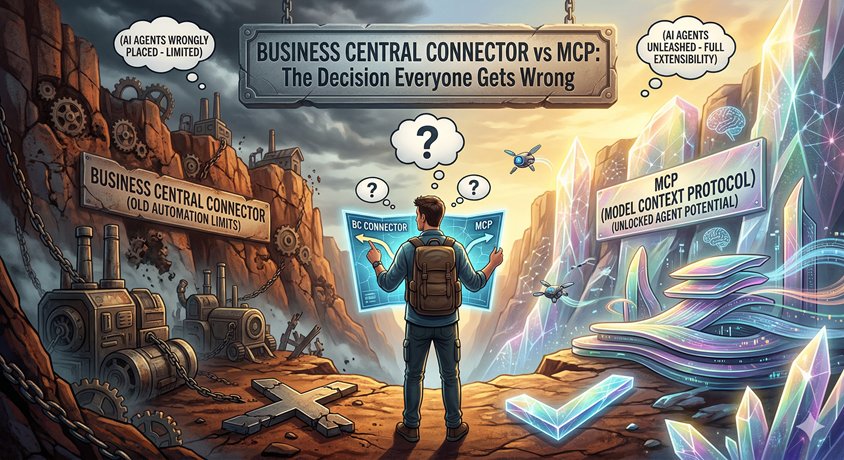
Most people treat that as a tooling question. It isn’t. It’s a design question. And that’s exactly where many teams go wrong.
Microsoft puts both options clearly on the table in Copilot Studio: the Business Central Connector for Power Platform and the Business Central MCP Server. But the docs make one thing explicit: these two options are not interchangeable. They support fundamentally different interaction models.
The mistake is not choosing the wrong technology. The mistake is choosing the wrong shape of solution.
The Wrong Way to Decide
Most teams default to one of two patterns:
- “The Connector is simpler, so we should start there and see how far we get.”
- “MCP is the AI-native option, so we should use it for anything serious.”
Both sound reasonable. Neither is a reliable way to decide. The real question is not which option feels more modern. It’s what your agent is actually being asked to do.
The Mental Model That Actually Helps
Use the Connector when you know the task.
Use MCP when you don’t know the path.
That one distinction is more useful than any feature checklist. Everything else follows from it.
What Microsoft’s Docs Actually Say
Microsoft describes the Business Central Connector as a simplified, low-code interface for standard entities like customers, vendors, items, and invoices. Two points from the docs are worth highlighting.
First, it performs CRUD operations using predefined actions while acting as the signed-in user, respecting their Business Central permissions.
Second — and this is the honest trade-off in one sentence — it abstracts away many of the API details, making it easier to use but less flexible for advanced scenarios.
The abstraction is the strength. The abstraction is also the ceiling.
Microsoft describes the MCP Server differently. It is ideal when the agent must coordinate multiple AI-driven steps — retrieving data, analyzing it, and performing actions — into one seamless automated workflow. That is the core reason to choose MCP. Performance and scalability are secondary. Orchestration is the point.
Microsoft summarizes the distinction bluntly:
- Connector: for standard integration and automation
- MCP server: for AI agents only
That is the heart of the decision.
When the Connector Is the Right Choice
The Connector fits when the task is already known. You know the input, the action, and the expected output. You are not asking the agent to reason. You are asking it to execute.
Typical examples include creating a customer from a structured intake form, updating a record in a fixed workflow, triggering a standard business action from Copilot Studio, or running predefined actions like Find records (V3) or Create record (V3).
In these scenarios, the Connector is not a compromise. It is the right design. It is simpler because the problem is simpler.
Why the Permission Model Matters More Than People Think
This is the most underappreciated design difference.
Microsoft explicitly states that Connector actions run while acting as the signed-in user, respecting their Business Central permissions. That means the Connector is not just a convenience layer. It is also a governance choice.
When you use the Connector, the agent works within the signed-in user’s permission boundaries. Access behavior is easier to explain and audit. Security is tightly tied to user context. For many business scenarios, that is a significant advantage, not a limitation.
When MCP Is the Right Choice
MCP fits when the goal is known, but the path is not. You know what the user wants, but you do not know in advance which tools, APIs, or sequence of steps the agent will need to get there.
Typical examples include:
- “Can I approve this order?”
- “Why is this customer blocked?”
- “What should I reorder this week?”
- “Look at this account and recommend the next action.”
These are not single-action problems. They require context, retrieval, interpretation, and sometimes action across multiple steps. That is exactly what Microsoft means when it says MCP is for coordinating multiple AI-driven steps into one workflow.
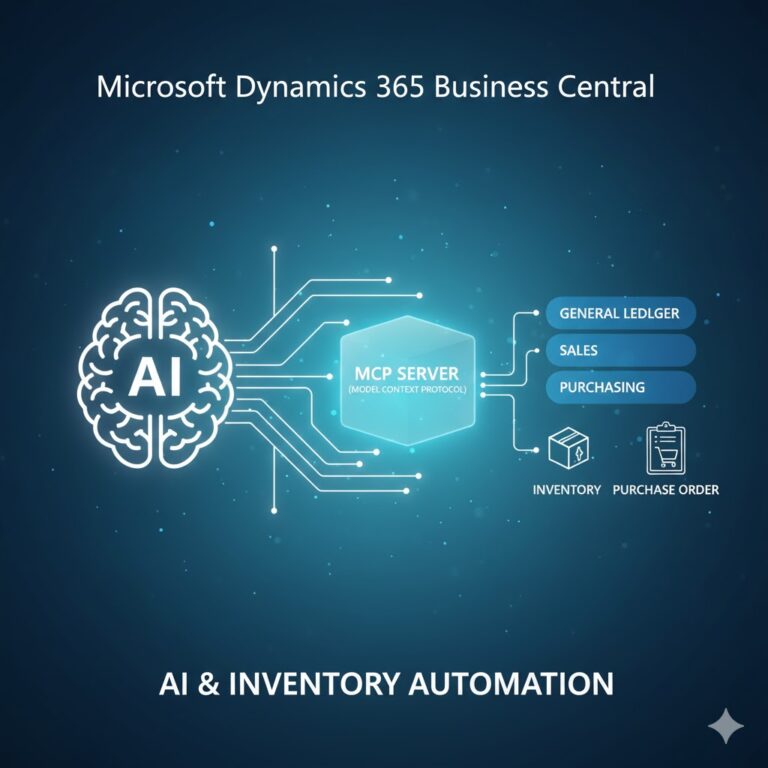
One governance point worth knowing: by default, the Business Central MCP Server gives agents read-only access to all exposed API pages. Write operations — create, update, delete — must be explicitly configured in the MCP Server setup. MCP is powerful, but it is not uncontrolled. It is designed as a configurable capability layer, not an open door.
The Clearest Way to Think About the Trade-Off
The Connector gives you simplicity through abstraction. MCP gives you flexibility through direct capability exposure.
Because the Connector abstracts away many API details, it is faster to set up, easier to explain, and easier to govern. But that same abstraction is why it hits a ceiling in complex agent scenarios.
MCP exposes standard and custom API pages as tools the agent can use dynamically. It is more extensible and more natural for AI orchestration, but you are working closer to the API layer, and the design decisions become more architectural.
So the real trade-off is not simple vs. advanced. It is:
- Predefined execution vs. dynamic orchestration
- Abstraction vs. flexibility
- Known task vs. unknown path
Real Scenarios
Scenario 1: Create a Customer From a Structured Form
A user submits a form with known fields. The desired outcome is a new customer record. This is a predefined task with predictable inputs.
Use the Connector.
The action is known, the inputs are fixed, and the signed-in user’s permissions govern the action cleanly.
Scenario 2: Evaluate Whether a Sales Order Should Proceed
A sales user asks:
“Can I approve this order?”
The agent may need to retrieve customer details, inspect balances, check overdue entries, evaluate context, and decide the next step. This is not one fixed path.
Use MCP.
The agent must coordinate multiple AI-driven steps and determine the path dynamically.
Scenario 3: Hybrid — Reason First, Then Execute
You want an agent to reason through a situation, but once it reaches a decision, trigger a well-defined downstream action.
Use both together.
Microsoft explicitly supports this pattern. There is also a very practical reason to combine them: when an API has a cryptic description that the AI cannot interpret well through MCP, adding it manually with the Connector lets you provide a clearer, AI-friendly description.
Real solutions do not need to be ideologically pure.
A Note on Licensing
Both approaches require a Copilot Studio user license with available Copilot Credits capacity. Before scaling either pattern, confirm your licensing and usage model.
The Mistake People Actually Make
The most common mistake is not choosing the wrong product. It is forcing one interaction model onto the wrong kind of problem.
When teams use the Connector for scenarios that need reasoning, the agent becomes brittle: too many hardcoded branches, too many special cases, an experience that feels like a scripted bot rather than an intelligent assistant.
When teams jump to MCP for everything, they introduce unnecessary complexity for workflows that were always straightforward automations.
The wrong choice usually happens because people ask the wrong question.
Wrong: “Which tool is better?”
Right: “What do I already know about the path?”
That second question leads to much better architecture.
My Recommendation
If your scenario is standard integration or automation, start with the Connector.
If your agent needs to interpret context, reason across data, or orchestrate multiple steps, start with MCP.
If your scenario includes both reasoning and deterministic execution, use both. That is a supported and practical pattern.
The smartest teams will not ask which tool is better. They will ask what they already know about the path. And the answer to that question will tell them everything they need.
Use the Connector when you know the task.
Use MCP when you don’t know the path.
Next time someone asks you “Connector or MCP?”, the right answer is:
What do we already know about the path?