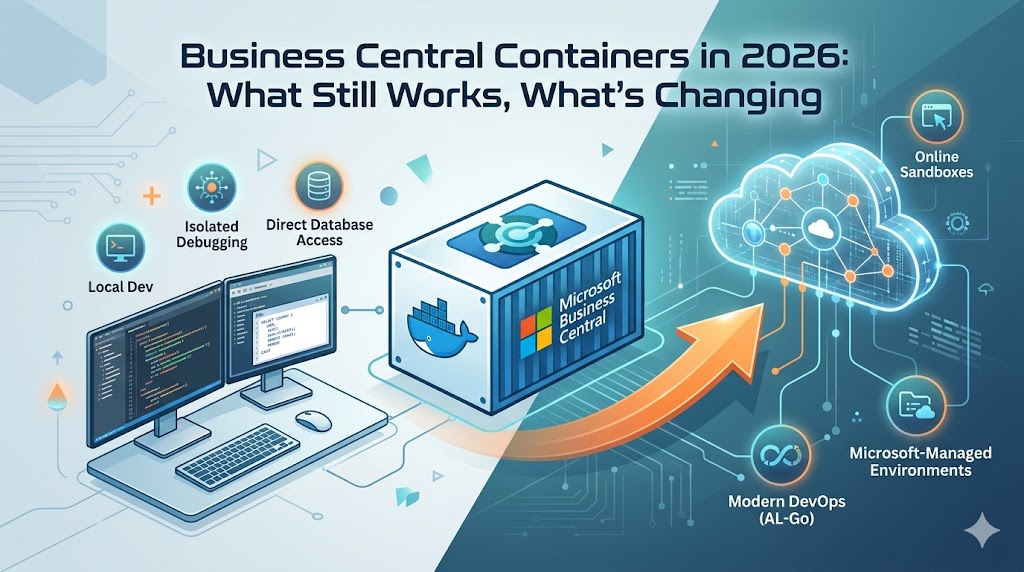
Business Central containers are still very relevant in 2026. They remain one of the fastest ways to spin up a clean environment, test an extension, and reproduce technical issues.
But the story has changed.
The real question is no longer whether containers still work. They do. The better question is this: where do containers still make sense, and where should teams start using other options?
In my view, containers are still excellent for local development, isolated troubleshooting, and version-specific testing. What is changing is the long-term role of BcContainerHelper in your DevOps strategy.
What still works
Containers still solve several important problems very well:
- Local development: If you want a clean and repeatable environment on your own machine, containers are still a strong option. They are fast to reset and practical when you need full control over the setup.
- Isolated troubleshooting: When a customer issue is difficult to reproduce, a container gives you a safer and more controlled environment than a shared sandbox.
- Version and localization testing: Containers are still useful when you need to test against a specific Business Central version or country artifact.
- Direct database access: This is still one of the biggest reasons containers matter. With a container sandbox, you can use tools like SQL Server Management Studio (SSMS) and inspect the environment more deeply—something not possible in an online sandbox.
Containers are no longer the only serious option
In 2026, the development reality is hybrid. Microsoft supports both online sandboxes and container sandboxes, and each has a distinct role.
| Feature | Container Sandbox | Online Sandbox |
| Managed by Microsoft | No | Yes |
| Database Access | Yes (Direct SQL) | No |
| SQL / On-prem Tools | Yes | No |
| Quick SaaS Extension Work | Good | Excellent |
| Local Resource Usage | High | Low |
| Infrastructure Maintenance | Yours | Microsoft’s |
The point is not to replace containers everywhere. The point is to choose the right environment for the job:
Use an online sandbox when you want speed and less infrastructure overhead.
Use a container when you need more control, deeper inspection, or isolated technical debugging.
What’s changing
The biggest change is not the container itself; it is the toolchain around it.
Microsoft still documents container-based development for Business Central. You can still run Business Central artifacts on Docker on a Windows system (configured for Windows containers).
However, official support for BcContainerHelper ends on October 1, 2027.
That does not mean you should stop using containers tomorrow. It means you should stop treating BcContainerHelper as the long-term foundation of your DevOps architecture. Microsoft recommends moving custom DevOps solutions toward AL-Go for GitHub or other managed options. That is the strategic shift teams should pay attention to in 2026.
What teams should stop doing
As technical leads, we need to be more intentional about our workflows:
- Stop building new long-term CI/CD around BcContainerHelper: If you have existing scripts, maintain them, but building brand-new permanent automation around a tool with a published end-of-support date is a risk.
- Stop assuming container behavior equals SaaS behavior: Containers are not a perfect copy of SaaS production. Authentication, operational behavior, and environment constraints are not always identical.
- Stop treating local convenience as long-term architecture: A workflow that feels easy on a developer laptop is not automatically the right strategic choice for a scaling team.
- Stop ignoring infrastructure overhead: Containers cost time. Storage, RAM usage, certificates, and Docker quirks all add operational friction.
The friction is still real
Containers still come with practical issues that must be managed:
- Windows-only setup: Business Central container guidance still targets Windows systems with Docker configured for Windows containers, limiting portability.
- Resource usage: A typical BC container requires at least 6 GB RAM and 15 GB disk space. On a busy developer machine, this is significant.
- Setup and authentication issues: Common workarounds like
-isolation hyperv,-updateHosts, or switching to username/password authentication are still frequently required. - PowerShell compatibility: For Business Central 2026 release wave 1 (v28), some container management functions may require Windows PowerShell 5.1 due to known PowerShell 7 issues in remote sessions.
My Recommendation
If you lead a Business Central team in 2026, the strategy is simple:
Keep using containers for:
- Local development and isolated debugging.
- Direct technical inspection (SQL access).
- Version-specific validation.
Use online sandboxes for:
- Straightforward SaaS extension work.
- Quick development scenarios.
- Lower-maintenance environments.
Start reducing dependency on:
- BcContainerHelper as your long-term DevOps backbone.
Conclusion
Business Central containers are not going away in 2026. They still work, solve real problems, and are often the best option for deep technical work.
However, they should no longer be the “default” answer to every scenario. The teams in the best position for 2027 and beyond are those that use containers where they add real technical value while shifting their broader DevOps strategy toward future-proof, managed workflows.