
- What AL Interfaces Actually Give You
- The Pattern That Changes Everything: Enum + Interface
- Real Scenario: Payment Providers End-to-End
- Other Real Business Central Scenarios
- Interfaces vs Events
- DefaultImplementation: Why You Actually Need It
- UnknownValueImplementation: Better Handling for Removed Enum Extensions
- Newer Interface Capabilities in Business Central
- Lists and Dictionaries of Interfaces
- Common Mistakes Developers Make with Interfaces
- A Practical Rule of Thumb
- Final Thoughts
There is a feature in AL that many Business Central developers know exists—but rarely use properly.
It is not events.
It is not table extensions.
It is not enums.
It is interfaces.
And if your code looks like this, you already know the problem:
procedure ProcessPayment(PaymentMethod: Enum "Payment Method"; Amount: Decimal)
begin
    case PaymentMethod of
        PaymentMethod::Cash:
            ProcessCashPayment(Amount);

        PaymentMethod::Bank:
            ProcessBankPayment(Amount);

        PaymentMethod::Card:
            ProcessCardPayment(Amount);
    end;
end;
This works… until:
- A new provider is added
- A customer needs custom logic
- An ISV wants to extend your process
Now your logic becomes the bottleneck.
What AL Interfaces Actually Give You
Microsoft defines interfaces as a contract:
They define what must be implemented, not how.
interface IPaymentProcessor
{
    procedure ProcessPayment(Amount: Decimal);
}
That gives you three clean roles:
- Interface → contract
- Codeunit → behavior
- Enum → selection
One practical productivity tip: from Business Central 2023 release wave 1, you can right-click any interface in Visual Studio Code and select Go to Implementations (or press Ctrl+F12) to see all codeunits that implement it. This also works on the enum and its procedures. When your project grows, this saves significant navigation time.
That combination is where things get powerful.
The Pattern That Changes Everything: Enum + Interface
Step 1 — Interface
interface IPaymentProcessor
{
    procedure ProcessPayment(Amount: Decimal);
}
Step 2 — Implementations
codeunit 50100 "Cash Payment Processor" implements IPaymentProcessor
{
    procedure ProcessPayment(Amount: Decimal)
    begin
        Message('Cash payment: %1', Amount);
    end;
}
codeunit 50101 "Bank Payment Processor" implements IPaymentProcessor
{
procedure ProcessPayment(Amount: Decimal)
begin
Message('Bank payment: %1', Amount);
end;
}Step 3 — Enum wiring
This is the part many developers miss.
enum 50100 "Payment Processor Type" implements IPaymentProcessor
{
    Extensible = true;

    value(0; Cash)
    {
        Implementation = IPaymentProcessor = "Cash Payment Processor";
    }

    value(1; Bank)
    {
        Implementation = IPaymentProcessor = "Bank Payment Processor";
    }
}
Step 4 — Usage
procedure ProcessPayment(Type: Enum "Payment Processor Type"; Amount: Decimal)
var
    Processor: Interface IPaymentProcessor;
begin
    Processor := Type;
    Processor.ProcessPayment(Amount);
end;
AL allows direct assignment from an enum value to an interface variable as long as the enum declares that it implements that interface, which is what makes this pattern work without any factory or mapping code.
That is the moment where the pattern clicks.
No case.
No if.
No central decision logic.
The enum selects the implementation.
The interface defines the contract.
The codeunit executes the behavior.
This is polymorphism in AL, and it changes how you design extensions.
Real Scenario: Payment Providers End-to-End
Let’s build something realistic.
Requirement
- Support multiple payment providers
- Allow extensions to add new ones
- Avoid modifying core logic
Step 1 — Interface
interface IPaymentProcessor
{
    procedure ProcessPayment(Amount: Decimal);
    procedure ValidateSetup();
}
Step 2 — Implementations
codeunit 50110 "Stripe Processor" implements IPaymentProcessor
{
    procedure ProcessPayment(Amount: Decimal)
    begin
        Message('Stripe payment processed: %1', Amount);
    end;

    procedure ValidateSetup()
    begin
        // Validate API config
    end;
}
codeunit 50111 "Cash Processor" implements IPaymentProcessor
{
procedure ProcessPayment(Amount: Decimal)
begin
Message('Cash payment processed: %1', Amount);
end;
procedure ValidateSetup()
begin
// Nothing to validate
end;
}Step 3 — Enum
enum 50110 "Payment Provider" implements IPaymentProcessor
{
    Extensible = true;
    DefaultImplementation = IPaymentProcessor = "Unsupported Payment Processor";

    value(0; Cash)
    {
        Implementation = IPaymentProcessor = "Cash Processor";
    }

    value(1; Stripe)
    {
        Implementation = IPaymentProcessor = "Stripe Processor";
    }
}
Step 4 — Core logic
procedure ExecutePayment(Provider: Enum "Payment Provider"; Amount: Decimal)
var
    Processor: Interface IPaymentProcessor;
begin
    Processor := Provider;

    Processor.ValidateSetup();
    Processor.ProcessPayment(Amount);
end;
Step 5 — Extension adds a new provider
enumextension 50120 "Payment Provider Ext" extends "Payment Provider"
{
    value(50120; PayPal)
    {
        Implementation = IPaymentProcessor = "PayPal Processor";
    }
}
That is real extensibility. You have built something:
- Extensible
- Upgrade-safe
- ISV-friendly
Other Real Business Central Scenarios
Shipping providers
interface IShippingProvider
{
    procedure CreateShipment(SalesHeader: Record "Sales Header");
    procedure GetTrackingNo(): Code[50];
}
Possible implementations: DHL, FedEx, UPS, Aramex, Local courier.
Your sales process should not need to know the internal logic of every carrier.
Export formats
interface IDocumentExporter
{
    procedure Export(DocumentNo: Code[20]);
}
Possible implementations: XML exporter, JSON exporter, CSV exporter, API exporter.
Discount strategies
interface IDiscountCalculator
{
    procedure CalculateDiscount(CustomerNo: Code[20]; ItemNo: Code[20]; Amount: Decimal): Decimal;
}
Possible implementations: Customer group discount, Campaign discount, Item category discount, Region-specific discount, Volume discount.
AI and agent scenarios
Microsoft’s documentation for Coding agents in AL, currently marked as preview, also uses interfaces as part of the AL agent model.
Examples include:
IAgentFactoryIAgentMetadataIAgentTaskExecution
That is worth noticing. Interfaces are not just a nice old pattern from object-oriented programming. They are also showing up in newer Business Central extensibility areas.
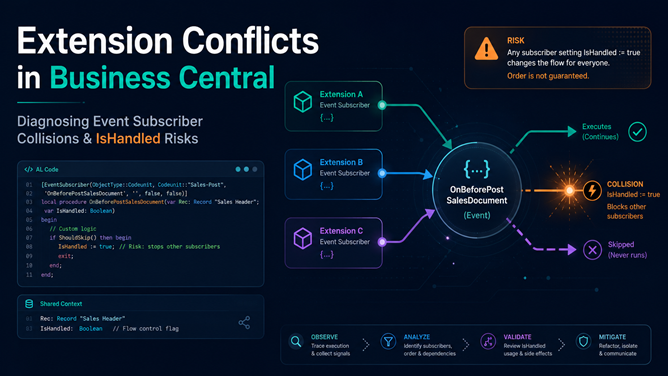
Interfaces vs Events
Business Central developers use events all the time, and they should. But events and interfaces solve different problems.
| Use events when… | Use interfaces when… |
|---|---|
| Other code should react to something | You need to substitute behavior |
| You want to publish an extension point | You want a clear contract |
| Multiple subscribers may run | One selected implementation should execute |
| You do not control who listens | You want controlled polymorphism |
Events are great for “something happened.”
Interfaces are great for “someone must do this job.”
DefaultImplementation: Why You Actually Need It
If your enum is extensible, things get more interesting.
Microsoft documents the DefaultImplementation property, which specifies the default implementer for an enum value when there is no explicit implementer set.
enum 50100 "Payment Processor Type" implements IPaymentProcessor
{
    Extensible = true;
    DefaultImplementation = IPaymentProcessor = "Unsupported Payment Processor";

    value(0; Cash)
    {
        Caption = 'Cash';
        Implementation = IPaymentProcessor = "Cash Payment Processor";
    }

    value(1; Bank)
    {
        Caption = 'Bank';
        Implementation = IPaymentProcessor = "Bank Payment Processor";
    }
}
Then you can create a fallback implementation:
codeunit 50102 "Unsupported Payment Processor" implements IPaymentProcessor
{
    procedure ProcessPayment(Amount: Decimal)
    begin
        Error('This payment processor is not supported.');
    end;
}
Why does this matter? Because extensible enums can be extended by other apps. Microsoft’s AppSourceCop rule AS0067 explains that when an extensible enum implements an interface, the compiler validates that all enum values implement that interface.
If you add an interface to an already published extensible enum, dependent enum extensions may not have implementations. Providing a default implementation helps avoid breaking dependent extensions.
This is exactly the kind of detail that matters in AppSource and multi-extension projects.
UnknownValueImplementation: Better Handling for Removed Enum Extensions
Microsoft also documents UnknownValueImplementation. This handles cases where an enum value exists in stored data but its original enum extension has been uninstalled.
enum 50100 "Payment Processor Type" implements IPaymentProcessor
{
    Extensible = true;
    DefaultImplementation = IPaymentProcessor = "Unsupported Payment Processor";
    UnknownValueImplementation = IPaymentProcessor = "Unknown Payment Processor";

    value(0; Cash)
    {
        Caption = 'Cash';
        Implementation = IPaymentProcessor = "Cash Payment Processor";
    }

    value(1; Bank)
    {
        Caption = 'Bank';
        Implementation = IPaymentProcessor = "Bank Payment Processor";
    }
}
Fallback implementation:
codeunit 50103 "Unknown Payment Processor" implements IPaymentProcessor
{
    procedure ProcessPayment(Amount: Decimal)
    begin
        Error('The selected payment processor is no longer available.');
    end;
}
This gives users a clearer error instead of a technical failure.
Newer Interface Capabilities in Business Central
Extending interfaces
Microsoft states that extending interfaces applies to Business Central 2024 release wave 2 and later. This allows one interface to extend another.
interface IPaymentProcessor
{
    procedure ProcessPayment(Amount: Decimal);
}
interface IRefundProcessor extends IPaymentProcessor
{
procedure RefundPayment(Amount: Decimal);
}A codeunit implementing IRefundProcessor must implement both ProcessPayment and RefundPayment. This is useful when your contract evolves and you want a more specialized interface.
Type testing and casting with is and as
Microsoft also documents type testing and casting operators for interfaces in Business Central 2024 release wave 2 and later.
Use is to check whether an interface also supports another interface:
procedure CheckRefundSupport(PaymentProcessor: Interface IPaymentProcessor)
begin
    if PaymentProcessor is IRefundProcessor then
        Message('This payment processor supports refunds.');
end;
Use as to cast it:
procedure RefundPayment(PaymentProcessor: Interface IPaymentProcessor; Amount: Decimal)
var
    RefundProcessor: Interface IRefundProcessor;
begin
    if PaymentProcessor is IRefundProcessor then begin
        RefundProcessor := PaymentProcessor as IRefundProcessor;
        RefundProcessor.RefundPayment(Amount);
    end;
end;
⚠️ Warning: as throws a runtime error if the source interface does not implement the target interface. Microsoft documentation confirms this behavior but does not specify the exact error message text, so do not rely on matching a specific string in your error handling. Always check with is before using as.
This deserves attention because the code may compile but still fail at runtime if the wrong implementation is passed.
Lists and Dictionaries of Interfaces
From Business Central 2025 release wave 1, runtime 15.0, Microsoft documents support for creating List and Dictionary collections of interfaces. This requires setting the runtime version in app.json to at least 15.0, which means your extension will only run on environments that support that runtime (Business Central 2025 release wave 1 or later), so consider compatibility before adopting this pattern.
var
    Handlers: Dictionary of [Code[20], Interface IPaymentProcessor];
    Processor: Interface IPaymentProcessor;
begin
    Handlers.Add('CASH', Processor);
    Processor := Handlers.Get('CASH');
    Processor.ProcessPayment(100);
end;
This can be useful for more advanced plugin-like designs where you need to register or resolve multiple handlers dynamically.
Use this when you need:
- Plugin registries
- Multiple handlers
- Processing pipelines
For most everyday scenarios, enum implementation mapping is enough. But for more dynamic architectures, collections of interfaces are a powerful addition.
Common Mistakes Developers Make with Interfaces
Mistake 1: Creating an interface when behavior does not vary
Interfaces are useful when there are multiple possible implementations.
Good examples: Different payment processors, shipping providers, discount calculators, exporters, integration handlers.
Bad examples: A single helper codeunit, a one-off internal procedure, logic that will never be substituted.
Use interfaces to reduce complexity, not to decorate simple code.
Mistake 2: Creating huge interfaces
Microsoft recommends keeping interfaces focused and cohesive. Avoid this:
interface IBusinessHandler
{
    procedure ProcessPayment();
    procedure CreateShipment();
    procedure CalculateDiscount();
    procedure ExportDocument();
}
This interface is doing too much. Better:
interface IPaymentProcessor
{
    procedure ProcessPayment(Amount: Decimal);
}

interface IShippingProvider
{
    procedure CreateShipment(SalesHeader: Record "Sales Header");
}
Smaller contracts are easier to implement and easier to understand.
Mistake 3: Using as without checking is
Bad:
RefundProcessor := PaymentProcessor as IRefundProcessor;
RefundProcessor.RefundPayment(Amount);
Better:
if PaymentProcessor is IRefundProcessor then begin
    RefundProcessor := PaymentProcessor as IRefundProcessor;
    RefundProcessor.RefundPayment(Amount);
end;
The first version can fail at runtime if the selected implementation does not support IRefundProcessor.
Mistake 4: Forgetting about DefaultImplementation on extensible enums
If you use interfaces with extensible enums, think about fallback behavior. A missing implementation on an enum extension can become a breaking problem. A default implementation gives you a safer design, especially for published apps.
Mistake 5: Adding methods to published interfaces casually
Once other codeunits implement your interface, adding a new procedure to that interface can break them. Microsoft’s guidance warns against adding methods to published interfaces. A safer pattern is to create a new interface, or use interface extension patterns where your target Business Central version supports them.
A Practical Rule of Thumb
Before creating an interface, ask:
Do I have multiple ways to perform the same business responsibility?
If yes, an interface may be a good fit. Then ask:
Does the user or setup need to choose which behavior runs?
If yes, an enum implementing the interface may be the missing piece. That combination is where the pattern becomes practical:
PaymentProcessor := PaymentProcessorType;
PaymentProcessor.ProcessPayment(Amount);
Final Thoughts
Most developers think the shift from this:
case Type ofto this:
Handler.Execute();is just cleaner code. It is not. It is the shift from:
- Hardcoded decisions → Replaceable architecture
And in Business Central, where extensions constantly evolve, that difference matters more than you think.