The Agent Isn’t the Only One Deciding What It Can Do
A user with limited permissions starts a Business Central agent task. Halfway through, the agent pauses for review. A manager with much broader permissions clicks Confirm.
What can the agent do now?
Most teams would open the agent card and read its permission sets. That answer is incomplete.
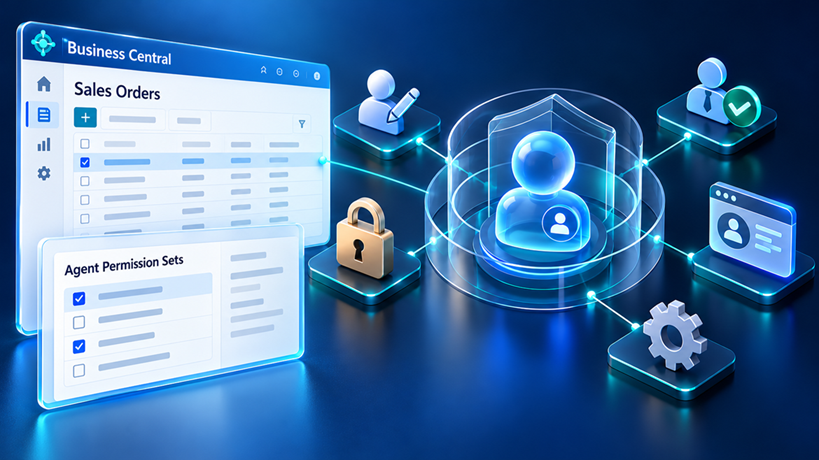
In Business Central, an agent is modeled as a user. It has its own account, permission sets, profile, and a user ID stamped on every record it touches. But it never works alone. Someone creates its tasks. Someone confirms its steps. Someone can change its configuration. A developer chose its defaults. And the code behind every action it invokes follows its own permission rules.
So the useful question isn’t:
What permissions does the agent have?
It’s:
Who, at this moment, decides what this agent is allowed to do, and which of those decisions is actually documented?
First: which kind of agent?
Microsoft documents permission behavior differently for custom agents and for Sales Order Agent. Don’t carry one model over to the other.
| Custom agents (Agent SDK, AI development toolkit) | Sales Order Agent (Microsoft-built) | |
|---|---|---|
| Effective permissions | An intersection of the agent’s and a human’s permissions; the human can change during the task (Agent permissions) | Runs under the agent’s own account and doesn’t inherit the reviewer’s permissions (Set up Sales Order Agent) |
| Permission requests (29.0) | Supported | Not supported |
| Default permissions and profile | Set by the developer in AL | Shipped by Microsoft |
The permission-handoff analysis in this article applies to custom agents. Where Sales Order Agent is documented differently, I say so in place. Other Microsoft-built agents, such as Payables Agent, may document task initiation and authorization differently; check each one’s documentation.
One more scope note. Most custom-agent documentation is still prerelease. The AI development toolkit runs in sandboxes only; the Agent SDK for AL is available in production from version 28.1.
- An Agent Is a User, With Two Kinds of Control
- A Gate and Five Layers of Agent Authority
- A Failure Scenario: When Human Intervention Changes Effective Permissions
- What Changed in 28.1 and 29.0
- Building Agents in AL: Ship the Boundaries With the Agent
- Common Mistakes
- Decision Guide: Where Each Rule Belongs
- Auditing an Agent Without Guessing
- Governance Checklist
- Conclusion: Design for the Most Privileged Person in the Loop
An Agent Is a User, With Two Kinds of Control
Microsoft describes two separate permission systems for agents. They are easy to blur together, and most governance gaps start there.
1. Access controls: what the agent can touch. Because agents are modeled as users, they get permission sets that govern which data, pages, and objects they can access. You manage them on the agent card, in the Agent Permission Sets section, or in AL through the Agent codeunit.
2. Agent access controls: which humans can work with or change the agent. Each agent has a user access list. A user on that list can work with the agent’s tasks. A user with Can Configure selected can also change the agent’s configuration and manage its access list.
The first system limits the agent.
The second limits the people who can change those limits.
If you only review the first one, you’ve reviewed the lock but not who holds the keys.
| Control | Question it answers | Where it lives |
|---|---|---|
| Agent permission sets | What data and objects can the agent reach? | Agent card, Agent.UpdateAccessControl, IAgentFactory.GetDefaultAccessControls |
| Agent profile (role) | Which pages, fields, and actions can the agent see and use? | Agent card / agent user settings, profile and page customization objects |
| Agent user access list | Who can work with the agent’s tasks? | Agent card, user access section |
| Can Configure | Who can change this agent’s permissions, profile, and access list? | Agent card, user access section |
| Configure All Agents (AGENT – ADMIN) | Who can configure every agent in a company? | Permission set assignment on the human user |
If you’ve read my earlier post on Profiles (Roles) vs. Permission Sets, the first two rows will look familiar. Entitlements, security filters, and Effective Permissions work the way that post and Security in Business Central: Entitlements, Permission Sets, and Security Groups describe. I won’t repeat them here.
What’s new with agents is everything around those rows.
A Gate and Five Layers of Agent Authority
An agent’s real authority comes from one gate and five layers. Each is controlled by a different person, and each fails differently.
The gate: who can create the agent at all
Before any permission question, someone has to create the agent instance. Since version 28.1, that’s no longer only an administrator. The D365 Agent permission set, included in D365 BASIC, grants “Create Extension Agent,” and the Agent Configuration Rights page’s default rule allows all users to create all agent types in all companies, subject to further conditions Learn lists, such as access to the setup page and an agent type that allows creation (Agent permissions). The section on 28.1 and 29.0 covers how to tighten this.
Layer 1: The agent’s own permission sets
This is the layer everyone checks. It’s the stable starting point for the agent’s security context, not the whole story.
Microsoft’s guidance is consistent: apply least privilege and prefer permission sets built specifically for the agent (Best practices). For Sales Order Agent, a default system permission set ships with the agent. You can’t edit it; you copy it, change the copy, and assign that. Check the exact name in your environment: current docs call it SOA – EDIT, older ones SOA AGENT – EDIT.
In multi-extension tenants, extensions that change pages or logic the agent uses need their own permission sets assigned to the agent. Sales Order Agent can stop with a message that it needs additional permissions. Microsoft’s documented fix is narrow: find the extension and object in the error details, use the Permissions Overview page to find the narrowest set that grants access, disable the agent, assign the set, and reactivate. If no suitable set exists, ask the publisher for an assignable permission set that supports agent scenarios (Set up Sales Order Agent).
If you publish extensions, expect that request.
Layer 2: The human context of the task
For custom agents, the agent never runs on its own permissions alone. Microsoft documents an intersection with a human’s permissions, but which human depends on the task’s context:
| Task context | Documented behavior | Source |
|---|---|---|
| A user schedules a task | Intersection of the agent’s and the scheduling user’s permissions | Agent permissions |
| The agent requests intervention and a user responds | Continues with the responding user’s permissions, who may not be the creator | Agent permissions |
| Task approval isn’t required | Intersection with the user who configured the agent | Transparency note |
| Sales Order Agent tasks from its mailbox | Runs under the agent’s own account, doesn’t inherit the reviewer’s permissions; the email dispatcher runs as a background task in the context of the user who activated the agent | Set up Sales Order Agent |
| Tasks created from AL code by a background process | I couldn’t find this documented | — |
Two cautions about this table. The permissions page says “the user who scheduled the task”; the transparency note says “the user that approved the task.” Treat both as describing the human side of the intersection, and test your own task-creation path. And the last row is genuinely open: verify it in your target version before you rely on it.
The practical consequence is the important part. For a custom agent, the human side can change during a single task:
- A coordinator creates a task. The coordinator’s narrow permissions bound it.
- The agent pauses. A manager confirms. From that point, the manager’s permissions bound it.
- Separately, the transparency note says that when task approval isn’t required, the configuring user’s permissions apply, and configurators are often administrators. Whether SetRequiresReview(false) on an incoming message triggers that rule isn’t documented; verify it for your task-creation path.
Nothing was escalated, and no permission set changed. The human side of the intersection moved.
So don’t use the requesting user’s limited rights as a safety net. Design the agent’s own sets as if the most privileged person who could respond to it will respond to it.
Layer 3: The code behind the action
Permission sets work at the object level. They can say “may modify Sales Header.” They can’t say “may modify Sales Header, but not change its status to Released.”
That matters because an agent drafting sales orders needs Modify on Sales Header, and the standard release logic needs little more. The Release Sales Document codeunit (414) declares its own Permissions property: indirect read and modify on Sales Header, indirect read on Sales Line (Release Sales Document). A permission set that lets the agent draft orders doesn’t, by itself, stop release.
AL has more ways for code to do things a permission list doesn’t show:
- Indirect permissions let a user modify a table only through objects whose
Permissionsproperty allows it (Permissions property). - Inherent permissions grant permissions to a method or object while it runs, regardless of the user’s own permission sets, for objects in the same extension (Inherent permissions).
Some rules can usually be enforced with permissions. Posting is a candidate: it writes ledger tables a narrowly scoped agent shouldn’t hold permissions on. Confirm the block with a test rather than assuming it. Other rules, such as “may edit but not release,” are business-state rules. They need an approval workflow, a code guard, or both.
The working rule: restricting permission sets alone doesn’t prove a specific business action is impossible. Test the action.
Layer 4: The profile, which limits reach, not access
In my post on Profiles (Roles) vs. Permission Sets, I argued that hiding a button isn’t security. That still holds. But the profile matters more for an agent than for a human.
Microsoft documents that an agent interacts with the UI it sees. Its profile sets its starting Role Center and the pages, fields, and actions it can use. It can search list pages but can’t use Tell Me (Set up agent permissions and profiles).
The distinction I use, which is my framing rather than Microsoft’s:
- The profile limits the agent’s reach: which actions it can start.
- Permissions and the code path limit its access: what those actions can read and write.
Use both. Rely on neither alone.
Layer 5: Who can configure, and therefore widen, the agent
A user can configure an agent with the Configure All Agents permission, or with Can Configure on that agent’s access list. Configuring includes changing its permission sets and access list.
Microsoft’s transparency note states that agents aren’t allowed to access or modify user configuration, including permissions and profile assignment, through the agent experience. Permission changes come through administrators or through application code, such as Agent.UpdateAccessControl, so extension code that assigns agent permissions belongs in the same review.
Who those people are is broader than most teams expect. AGENT – ADMIN grants Configure All Agents. SECURITY includes it, and SUPER grants the same. Every SUPER user in a tenant is an agent administrator.
One brake exists in multi-company environments: a user can configure an agent’s permissions only for companies where they hold AGENT – ADMIN themselves. That’s real scoping, but no substitute for a short list of named agent owners.
A Failure Scenario: When Human Intervention Changes Effective Permissions
This is a hypothetical scenario, not a case study. The permission mechanics in it are documented for custom agents. What isn’t documented is how any particular agent will choose its next action; that part is an assumption, and it’s the part you’d confirm in a sandbox.
A distribution company builds a custom order-intake agent with the Agent SDK. It should draft sales orders and never post them.
In the sandbox, the agent keeps hitting permission errors on sales documents. Someone assigns a broad sales permission set “for now.” That set also carries the permissions posting needs. The agent’s profile is the standard order processor profile, so Post is visible.
Testing goes well. Sales coordinators create tasks, and the agent never posts anything. Coordinators can’t post themselves, so the intersection removes posting from every task they create. The broad set is there, but nothing exercises it.
At go-live, pricing exceptions are routed to the sales manager for review. The manager can post.
The agent pauses on a price, the manager confirms, and the task continues with the manager’s permissions intersected with the agent’s. Posting is now permitted and visible. If the agent’s instructions and the page lead it there, it can post.
No one escalated anything. The human side of the intersection moved, and an over-broad set that testing never exposed became reachable.
The fixes map to the layers:
- Layer 1: replace the broad set with an agent-specific one that grants no posting permissions. Posting is a candidate for a permission-level rule; confirm the block with a test.
- Layer 4: give the agent its own profile without Post.
- Layer 2: test with the most privileged person who could respond to the agent, not only the users who create its tasks.
- Layer 5: limit Can Configure to named owners, and review who holds SUPER.
If you want to turn this into evidence, reproduce it in a sandbox: record the permission sets of the agent, the task creator, and the reviewer; the actions available before and after the intervention; the action attempted; the result; and the task timeline.
What Changed in 28.1 and 29.0
Agent governance isn’t static. Several documented changes in the last two updates shift who can do what. Check each one against the version your tenant actually runs.
| Version | Change | Why it matters for governance |
|---|---|---|
| 29.0 | Custom agents can pause a task and request a permission set | Only a user who can configure the agent can grant it. Microsoft’s own agents don’t use this flow. |
| 29.0 | Agents can be archived | Archiving is permanent. The agent can’t be reactivated, but its tasks and logs stay available read-only for auditing. Not every agent type supports it. |
| 28.1 | Agent SDK available in production environments | Custom agents are no longer sandbox experiments. Their permission design is now a production concern. |
| 28.1 | D365 Agent grants “Create Extension Agent” and is included in D365 BASIC | Most users can create instances of extension agents by default. |
| 28.1 | Agent Configuration Rights page | Restricts which users can create which agent types in which companies. The default rule allows all users, all types, all companies. |
| 28.1 | SetRequiresReview(false) on incoming task messages | Lets an agent process incoming messages without human approval. Microsoft says to use it only for trusted, already-validated sources. Whether skipping message review changes the task’s permission context isn’t documented. |
Two of these deserve a closer look.
The 28.1 creation change. Before 28.1, agent discovery and creation were effectively an admin activity. Now, Learn states explicitly that discovery and creation aren’t limited to agent administrators. If an extension agent should only be created by admins, the developer has to implement that in ShowCanCreateAgent, and the admin should tighten Agent Configuration Rights. Learn also notes that ShowCanCreateAgent returning false doesn’t prevent programmatic creation. It’s a UI gate, not a security boundary.
The 29.0 permission request. This is a good change. It replaces “assign something broad until the errors stop” with a specific request for a specific permission set, reviewed by someone who can configure the agent. But it also puts permission decisions in front of whoever handles agent tasks. Make sure the people with Can Configure are the people you’d trust to approve access.
One operational note for Sales Order Agent: Learn says you change its State to disabled before adding or removing permission sets, then re-enable it. Plan that into change windows.
Building Agents in AL: Ship the Boundaries With the Agent
If you build custom agents with the Agent SDK, you set the defaults every customer starts from, and most customers never change defaults. The Agent SDK is prerelease documentation at the time of writing. The examples below are illustrative, based on Microsoft samples and reference pages; verify their syntax against your target version before treating them as working implementations.
1. Ship an agent-specific permission set
Learn’s sample for GetDefaultAccessControls assigns D365 BASIC (Define and register an agent). That’s fine for learning. A production agent should default to a set designed for its job:
procedure GetDefaultAccessControls(var TempAccessControlBuffer: Record "Access Control Buffer" temporary)
begin
    TempAccessControlBuffer."Role ID" := 'BCS ORDER AGENT';
    TempAccessControlBuffer.Scope := TempAccessControlBuffer.Scope::System;
    TempAccessControlBuffer.Insert();
end;
The permission set itself is a regular permissionset object. Build its contents by recording the agent’s real workflow, then removing what it shouldn’t do. A fragment like this shows the idea:
permissionset 50110 "BCS ORDER AGENT"
{
    Assignable = true;
    Caption = 'Order intake agent';

    // Data-permission illustration only, not a usable set.
    Permissions =
        tabledata Customer = R,
        tabledata Item = R,
        tabledata "Sales Header" = RIM,
        tabledata "Sales Line" = RIMD;
}
Read it for what it does and doesn’t say. It deliberately grants no direct ledger-table permissions. Whether that prevents posting depends on the agent’s complete effective permissions and the posting code path, so verify it with a test. It grants Modify on Sales Header, which the agent needs to draft orders, and which means it does not block release. That’s layer 3, covered in the third subsection below.
2. Ship an agent-specific profile, and restrict who can create the agent
Learn recommends a custom profile per agent, built as an inclusion list of the UI it needs. Here’s a version tied to the failure scenario: the agent drafts orders on the Sales Order page, and that page shows it no actions at all, so Post and Release aren’t reachable there.
profile "BCS ORDER INTAKE AGENT"
{
    Caption = 'Order intake agent';
    RoleCenter = "Order Processor Role Center"; // replace with a minimal role center
    Customizations = "BCS Agent Sales Order", "BCS Agent Sales Order List";
}

pagecustomization "BCS Agent Sales Order" customizes "Sales Order"
{
    ClearActions = true; // no Post, Release, or any other action on the order
}

pagecustomization "BCS Agent Sales Order List" customizes "Sales Order List"
{
    ClearActions = true; // posting actions also exist on the list page
}
What this does and doesn’t do:
- It narrows reach on two pages. It isn’t what stops posting; that’s the permission set, verified by a test.
ClearActionsis blunt. To keep some actions, hide specific ones withmodify(<ActionName>) { Visible = false; }in the customization’s actions section. Take the action names from your symbols; the published page reference doesn’t list them.- Other surfaces stay open. Lines live on a separate subpage, and every page the role center links to is reachable. The standard Order Processor Role Center exposes far more than this agent needs. A production agent profile should start from a minimal role center that links only to the pages the agent uses, as Bert Verbeek’s agent series also recommends.
For a stricter inclusion list, Learn’s agent guidance combines ClearLayout and ClearViews with explicitly re-showing the fields the agent needs. ClearLayout clears every control from the page, so add back each field and test the result.
If only agent administrators should create your agent, say so in code. This is Learn’s documented pattern:
procedure ShowCanCreateAgent(): Boolean
var
    AgentSystemPermissions: Codeunit "Agent System Permissions";
begin
    exit(AgentSystemPermissions.CurrentUserHasCanManageAllAgentsPermission());
end;
This controls the UI only. Learn notes it doesn’t stop programmatic creation, so pair it with Agent Configuration Rights.
3. Enforcing business-state rules beyond permission sets
Object permissions can’t express every business-state restriction. “May edit sales orders but not release them” is the clearest example: the same Modify permission covers both.
The first tool to reach for is an approval workflow. Microsoft’s transparency note confirms approval workflows apply to agents the same way they apply to users, and they’re configuration rather than code.
Where you need a rule in code, the standard Release Sales Document codeunit raises OnBeforeReleaseSalesDoc before releasing a document. Combined with Agent Session detection, it’s a reasonable place to investigate an agent-specific guard. Before treating any such guard as a control, check:
- Scope. Filtering on the agent’s metadata provider applies to every instance of that agent type; comparing
UserId()targets one instance. - Coverage. The event applies to release operations that raise OnBeforeReleaseSalesDoc. Posting may also initiate a release, but verify that the relevant posting path raises this event in your target version. Code that sets the status directly, or a path that doesn’t go through this codeunit, won’t raise it.
- Error text. Agents read displayed errors and try to adjust their input, so the message should tell the agent to stop and ask for review.
- Evidence. Test the guard against every execution path you expect it to block, and every path you expect it to allow, before you rely on it.
Common Mistakes
- Broad sets “to get it working.” The sandbox fix becomes the production ceiling. Use permission recording or the Permissions Overview page instead.
- Testing only with low-privilege users. It hides an over-permissioned agent until someone senior responds to it.
- Treating permissions as business rules. A set that allows drafting orders also allows release. State rules need a workflow or code.
- Reusing the human profile. An agent uses what it can see. Give each agent its own profile.
- Leaving Agent Configuration Rights at the default. Since 28.1, the default rule permits broad extension-agent creation for users who also meet the permission and agent-specific requirements.
- Treating
ShowCanCreateAgentas security. It gates the UI, not programmatic creation. - Skipping message review for external input.
SetRequiresReview(false)is for trusted, validated sources only. How it interacts with the transparency note’s configuring-user rule isn’t documented. - Auditing the agent but not its configurators. Everyone with Can Configure, AGENT – ADMIN, SECURITY, or SUPER can widen it.
Decision Guide: Where Each Rule Belongs
| You want to ensure that… | Primary control | Additional safeguard |
|---|---|---|
| The agent can never touch certain tables, or never post (confirmed by test) | Agent-specific permission set | Profile without the related pages or actions |
| The agent can edit a document but not move it to a business state (released, approved) | Approval workflow, or an AL guard on the business operation | Profile without the action |
| The agent can’t start an action it shouldn’t | Agent profile and page customizations | Permissions or a guard, so the action fails if reached anyway |
| A reviewer’s seniority doesn’t widen what the agent can do | Narrow agent permission sets | Reviewers whose permissions match the task |
| Only certain people can give the agent work | Agent user access list | Manage Agent Tasks permission on users |
| Only certain people can widen the agent | Can Configure on a short list; few AGENT – ADMIN holders | Remove SUPER and SECURITY where they aren’t needed |
| Only admins can create a given agent type | Agent Configuration Rights | ShowCanCreateAgent in the agent’s code |
| The agent works only in some companies | Company-scoped permission assignments | Company-scoped AGENT – ADMIN for its owners |
| Untrusted input is never acted on without a person | Message review on (the default) | Human review of outbound messages |
These controls provide defense in depth, but not every safeguard enforces the restriction on its own. Verify the actual authorization and execution paths.
Auditing an Agent Without Guessing
When something unexpected happens, be clear about which kind of evidence you have. They answer different questions, and none of them alone reconstructs the agent’s historical effective permissions.
| Evidence | Answers | Where |
|---|---|---|
| Configuration | Who created or changed the agent, and which fields changed | Lifecycle telemetry (LC0067, LC0066) |
| Task | When a task was created, and who intervened | LC0068, the task timeline |
| Execution | What the agent actually created or changed | Records stamped with the agent’s user ID; the task timeline |
| Authorization | Which permissions applied at a given moment | No single source; reconstruct from the agent’s sets, the human context, and your own records of permission changes |
Configuration and task telemetry
From version 28.0, Business Central emits agent lifecycle telemetry (Analyze agent lifecycle telemetry). LC0066 includes changedFields, a list of the fields that changed, plus previous values for state, substate, name, model, and an instructions hash. Permission-set assignments aren’t among the documented dimensions, so don’t treat LC0066 as your permission audit trail.
traces
| where timestamp > ago(30d)
| where customDimensions.eventId in ("LC0066", "LC0067")
| project timestamp,
          eventId = tostring(customDimensions.eventId),
          agent = tostring(customDimensions.agentDisplayName),
          changedFields = tostring(customDimensions.changedFields),
          environment = tostring(customDimensions.environmentName),
          user_Id
| order by timestamp desc
For alerting and instrumentation around this, see AL Telemetry in Business Central.
Execution and the timeline
Records the agent creates or modifies carry its user ID, like any user’s. The task timeline shows the agent’s steps and where people reviewed or confirmed them. For a custom agent, that tells you when the human side of the intersection could have changed. It isn’t a snapshot of the permissions in force at each step.
Configuration rights
On the agent card, check its permission sets and the companies they apply to, its profile, and its user access list. Then list everyone in the affected company with AGENT – ADMIN, SECURITY, or SUPER. Together, that’s everyone who could have changed the agent.
The code path
To see which code ran under the agent, you can attach the AL debugger to agent sessions using the Agent client type introduced in 2026 release wave 1 (release plan).
Governance Checklist
Before an agent goes live, I’d want a yes to each of these.
The agent
- ☐ It has an agent-specific permission set, not a reused human role set.
- ☐ That set grants no posting permissions unless the agent’s job requires them, and a test confirms the agent can’t post.
- ☐ Permission sets from extensions on agent-used pages are assigned, and each is the narrowest available.
- ☐ It has its own profile, with actions it shouldn’t use removed, and business-state rules such as release are enforced by an approval workflow or tested code.
- ☐ Permissions are assigned only in the companies where it works.
The people
- ☐ The user access list contains only people who should give it work.
- ☐ Can Configure is limited to named owners.
- ☐ AGENT – ADMIN, SECURITY, and SUPER holders have been reviewed, because each of them can widen the agent.
- ☐ Reviewers have been chosen with layer 2 in mind.
The platform settings (28.1 and later)
- ☐ Agent Configuration Rights is tightened from the all-users default.
- ☐ Message review is on for any external or untrusted input.
- ☐ The team knows who can approve permission requests from custom agents (29.0).
Evidence
- ☐ Permission boundaries were tested with the most privileged likely reviewer, not only a low-privilege user.
- ☐ Agent lifecycle telemetry is flowing, and someone has checked what LC0066 records in your version.
- ☐ The agent’s business purpose and the reason for each permission set are written down, as Microsoft’s best-practice guidance recommends.
Conclusion: Design for the Most Privileged Person in the Loop
An agent in Business Central is a user. That’s the familiar part.
The unfamiliar part is that its real authority is shared between its permission sets, whoever is in the human side of the task at that moment, the code behind the actions it can reach, its profile, and everyone who can configure it. For custom agents, the human side can change mid-task without anyone touching a permission set.
So here’s the one rule I’d keep: design every custom agent as if the most privileged person who could respond to it will respond to it. Narrow sets, its own profile, and business-state rules in workflows or code follow from that.
And one thing to do this week: pick an agent in a sandbox, have your most senior likely reviewer confirm one of its steps, and check what it can reach afterwards.