Most ERP selections start with a spreadsheet: finance, purchasing, inventory, manufacturing, reporting. After enough demos, almost every serious SMB ERP starts to look capable.
The real differences often appear later. A company opens another legal entity and discovers that consolidation needs more work than expected. A distributor expands access to hundreds of employees and finds that costs grow differently from its original estimate. Customizations that looked harmless become an upgrade problem.
That is why I would ask a different question:
Which ERP fits both your business today and the company you expect to become in five years?
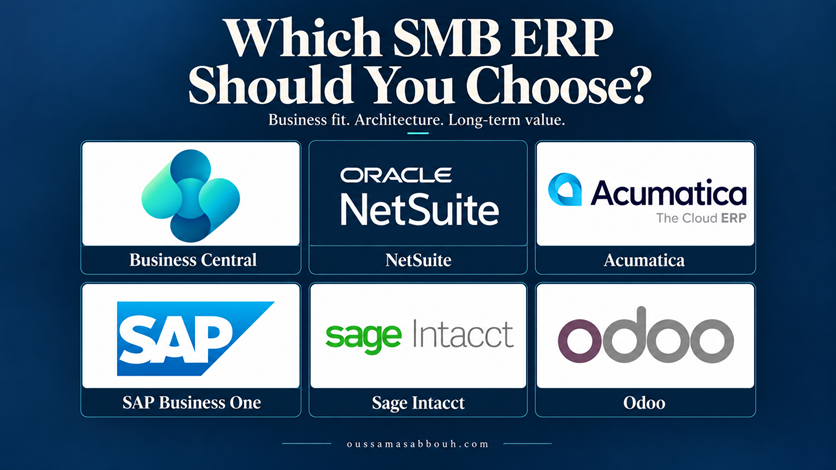
This comparison covers six established options for small and midsize businesses. I work primarily with Dynamics 365 Business Central, but it would not be my first recommendation in every scenario. The shortlist judgments below are my assessment of documented capabilities, not the results of a controlled benchmark across all six products.
Product information checked on September 6, 2026. Availability, licensing, and localizations depend on the country, edition, and proposed solution.
- The Quick Answer
- Why Feature Checklists Fail
- What I Would Evaluate Before the Brand
- Business Central: Where I Would Start With Microsoft
- Business Central vs NetSuite: Subsidiary Architecture
- Business Central vs Acumatica: Industry Fit and User Economics
- Business Central vs SAP Business One: Solution and Partner Fit
- Business Central vs Sage Intacct: Finance as the Priority
- Business Central vs Odoo: A Broad Application Suite
- Make the Demonstration Resemble Your Future Business
- Ten Questions Before You Sign
- Choose the ERP You Can Live With
The Quick Answer
| ERP | Strongest fit | Main consideration |
|---|---|---|
| Business Central | Connected finance and operations in a Microsoft environment. | Validate the extensions, integrations, and extra services required. |
| NetSuite OneWorld | Global subsidiary structures and group finance. | Prove the group close and country requirements; scope licensing. |
| Acumatica | Industry workflows and broad employee access. | Model transaction volumes and resource costs as usage grows. |
| SAP Business One | A proven industry solution and organizational fit. | Verify parent-system integration and hosting responsibilities. |
| Sage Intacct | Multi-entity finance, consolidation, and reporting. | Scope operational applications and regional availability separately. |
| Odoo | Consolidating ERP and adjacent business applications. | Confirm edition, hosting, customization, and maintenance costs. |
These are starting points. A product’s highlighted strength does not mean the others lack that capability.
Why Feature Checklists Fail
Take one word: manufacturing.
Business Central Essentials includes assembly management for scenarios such as assembling kits. Premium adds manufacturing and service management. Production BOMs, routings, work centers, and production orders belong to a different process model from assembly BOMs and assembly orders. Selecting the Premium experience in the interface does not itself grant Premium licenses. See Microsoft’s Business Central plans and Enable Premium features.
A table that says “Manufacturing: Yes” therefore tells you very little. It does not establish whether the proposed solution handles your scheduling, traceability, quality controls, subcontracting, or shop-floor requirements.
Use the same discipline for every product. Ask the partner to identify each requirement as standard functionality, configuration, an additional module, a partner application, or custom development. Then demonstrate the complete process.
What I Would Evaluate Before the Brand
Two companies with 100 employees can need very different systems. One may struggle with consolidation, allocations, and reporting. Another may struggle with inventory availability, production planning, warehouse execution, and costing. Four areas decide which system actually fits:
| What to evaluate | What it actually tests |
|---|---|
| 1. Process complexity | Identify the five processes where errors or delays cause the greatest business impact. Those should drive the evaluation and demonstration scripts. |
| 2. Legal entities & local requirements | “Supports multiple companies” is only the beginning — test intercompany transactions, currency translation, eliminations, shared master data, permissions, and group reporting against your actual structure. Separately, require evidence for the local tax, statutory reporting, banking, language, and e-invoicing requirements in every jurisdiction you operate in, and establish who maintains each localization and what it costs. |
| 3. Integrations & long-term maintenance | Include error handling, monitoring, reconciliation, and recovery in the demonstration — a successful API request is only the first step (I cover the production concerns in Business Central API Integrations in Production). For customizations, ask who owns the source code, tests it before upgrades, and supports it when the original developer leaves. |
| 4. Five-year cost & operational responsibility | Compare implementation, migration, subscriptions, additional modules, integrations, reporting, hosting, upgrades, and support. Model today’s usage and a realistic growth scenario with the same assumptions for each vendor. Also establish who handles backups, restores, security updates, service availability, and data exports — the label “cloud ERP” does not answer those questions. |
Business Central: Where I Would Start With Microsoft
Business Central brings finance, sales, purchasing, inventory, projects, and warehouse processes together, with manufacturing and service management available through Premium. Microsoft also documents connections with its wider application ecosystem and an extension model built around AL. See the Business Central documentation, integration overview, and AL development overview.
When I Would Favor Business Central
A distributor or manufacturer that needs connected finance and operations, already works heavily with Microsoft tools, and has access to an experienced Business Central partner.
The business value is the fit between those needs. For example, I would ask a distributor to demonstrate purchasing, warehouse receipt, sales fulfillment, inventory costing, and financial reporting as one connected process.
What I Would Challenge
The number of extensions and separate services needed to complete the solution. Integration availability does not guarantee that every connector, Power Platform scenario, or reporting requirement is included in the ERP subscription.
AL provides structure, but it does not guarantee maintainability. Extensions still need ownership, testing, and upgrade planning. My article on extension conflicts in Business Central explains why separately working apps can still interact badly.
Business Central vs NetSuite: Subsidiary Architecture
NetSuite OneWorld organizes subsidiaries in a hierarchy, with parent relationships and subsidiary base currencies. Oracle documents a limit of 250 subsidiaries, including the root, separately from subsidiary licensing; it directs customers needing more to their account manager. See Subsidiaries in OneWorld.
Business Central also supports multiple companies, intercompany processes, and consolidation. Its standard consolidation workflow transfers general ledger information from business units into a consolidation company. Microsoft documents database, API, and file-based exchange options in consolidation setup.
| Choose NetSuite if | Choose Business Central if |
|---|---|
| Your subsidiary hierarchy and centralized global management dominate the project. | Group reporting must coexist with substantial operational requirements and a strong Microsoft preference — provided the proposed company and environment structure passes the tests. |
What to prove in the demo: Run a group close with currency translation, intercompany reconciliation, eliminations, and drill-down. Subsidiary count alone should not decide the winner, and neither architecture removes the need to validate local compliance.
Business Central vs Acumatica: Industry Fit and User Economics
Acumatica’s commercial model is a meaningful difference: its pricing is based on applications, expected usage and resources, and deployment preferences, rather than user seats. Broad access can therefore be attractive, but increased consumption can still affect costs. See Acumatica pricing.
Construction is a particularly relevant comparison. Acumatica documents construction job costing and retainage tracking. It also offers industry solutions, including Professional Services Edition.
| Choose Acumatica if | Choose Business Central if |
|---|---|
| You’re a construction business with project budgets, commitments, retainage, and many employees who need system access — I would also include it for distribution and manufacturing evaluations. | Its standard processes or a proven industry application fit well and Microsoft integration carries substantial value. |
What to prove in the demo: Demonstrate your industry workflow and obtain a growth quote covering transaction volumes, integrations, and resources. Unlimited users does not mean unlimited consumption, and it does not establish that the complete implementation will be cheaper.
Business Central vs SAP Business One: Solution and Partner Fit
SAP Business One covers finance, purchasing, inventory, sales, customer management, reporting, and analytics. SAP documents cloud and on-premises deployment options. See the product overview and SAP Business One learning overview.
| Choose SAP Business One if | Choose Business Central if |
|---|---|
| A partner can demonstrate a proven industry solution, or the parent organization’s actual SAP integration and support requirements make it a better fit. | The Microsoft ecosystem and the proposed AL application landscape align more closely with the business’s needs and available skills. |
What to prove in the demo: The precise connection to any parent ERP, including data ownership, interfaces, reconciliation, and support. A shared SAP brand does not demonstrate integration compatibility — SAP Business One is a distinct product; do not assume it behaves like the parent company’s SAP system. For hosted proposals, identify who operates the environment and manages upgrades. Deployment flexibility is useful only when the responsibilities are clear.
Business Central vs Sage Intacct: Finance as the Priority
Sage Intacct deserves consideration when multi-entity accounting, consolidation, and reporting drive the project. Its multi-entity settings include entity currencies and inter-entity behavior, while its Dimensions model supports reporting by categories such as department, location, and project.
Dimensions are not unique to Sage Intacct: Business Central also supports dimensions. Compare the reporting workflow, consolidation requirements, and controls, rather than checking whether the feature exists.
| Choose Sage Intacct if | Choose Business Central if |
|---|---|
| Your finance team needs a strong multi-entity financial platform and your operational systems can fit around it. | Finance and day-to-day inventory, warehouse, and production processes need to be evaluated together within the proposed ERP solution. |
What to prove in the demo: Which financial and operational capabilities are included in the quote. Sage markets Distribution and Manufacturing Operations for Sage Intacct, with current material also using the name Sage Operations. This is an operational offering to scope alongside financials, not evidence that every core Intacct subscription includes manufacturing. Confirm regional availability, integration, and licensing.
Business Central vs Odoo: A Broad Application Suite
Odoo is attractive when the project extends beyond ERP into CRM, websites, eCommerce, marketing, projects, and other applications. Its official application overview illustrates that breadth.
| Choose Odoo if | Choose Business Central if |
|---|---|
| You’re replacing several disconnected applications and can demonstrate your required workflows across Odoo’s suite. | The evaluation places greater weight on finance and operations fit, Microsoft connections, and a proven partner solution. Complexity alone does not rule Odoo out — test both products against the same requirements. |
What to prove in the demo: The edition, subscription plan, and hosting model. Community and Enterprise are different editions. Odoo Online, Odoo.sh, and self-hosting describe deployment choices. Odoo.sh requires an eligible Enterprise subscription and an Odoo.sh subscription — hosting charges are additional to the Enterprise license; the Odoo.sh pricing page and FAQ make that separation clear. Check the Odoo plan details for multi-company, external API, and customization requirements. A broad suite can reduce the number of separate applications, but custom modules, localizations, and upgrades still need a maintenance budget.
Make the Demonstration Resemble Your Future Business
Consider a fictional distributor with three entities, 40 ERP users, and one warehouse. In five years it expects 15 entities, six warehouses, multiple sales channels, and hundreds of users. I would ask every shortlisted partner to demonstrate these five situations:
| Scenario | What to prove |
|---|---|
| 1. Intercompany sale through to group reporting | Show both companies, reconciliation, and the consolidation treatment. |
| 2. Partial shipment followed by a return | Trace inventory, costing, and the financial effect. |
| 3. Integration failure and retry | Show how the team detects the failure and prevents duplicate transactions. |
| 4. Access for an occasional user | Demonstrate the exact actions allowed and identify the proposed license or access model. |
| 5. Upgrade with the proposed customizations | Show the test approach, responsibilities, and recovery plan. |
Use the same sample data and acceptance criteria for each vendor. Score completed processes and recorded gaps. Require every unresolved gap to have an owner, solution, and estimated cost.
Also evaluate usability, permissions, auditability, performance at expected volume, and data export. If AI is part of the proposal, test a specific task with human review and measurable acceptance criteria, and confirm availability and cost.
Ten Questions Before You Sign
- Which five processes must work well from day one?
- How will our entities, users, and transaction volumes change over five years?
- Which countries and local requirements must the solution support?
- What is standard, additional, partner-provided, or custom?
- What does the complete solution cost today and under our growth scenario?
- Who owns integration monitoring, reconciliation, and recovery?
- Who maintains customizations, localizations, and upgrade tests?
- Can the partner demonstrate comparable implementations and provide references?
- What are our security, restore, support, and data-exit arrangements?
- Which remaining compromise is the business explicitly accepting?
Choose the ERP You Can Live With
Business Central would be my starting point for many businesses that need connected finance and operations within a Microsoft environment. That recommendation has to survive the process demonstrations, localization checks, partner assessment, and five-year cost model.
The best ERP is the one whose complete solution creates the fewest long-term compromises for the business you are building.
Before your next demo, write down the three scenarios the system must handle without workarounds. Ask every vendor to show them.